
Table of Contents
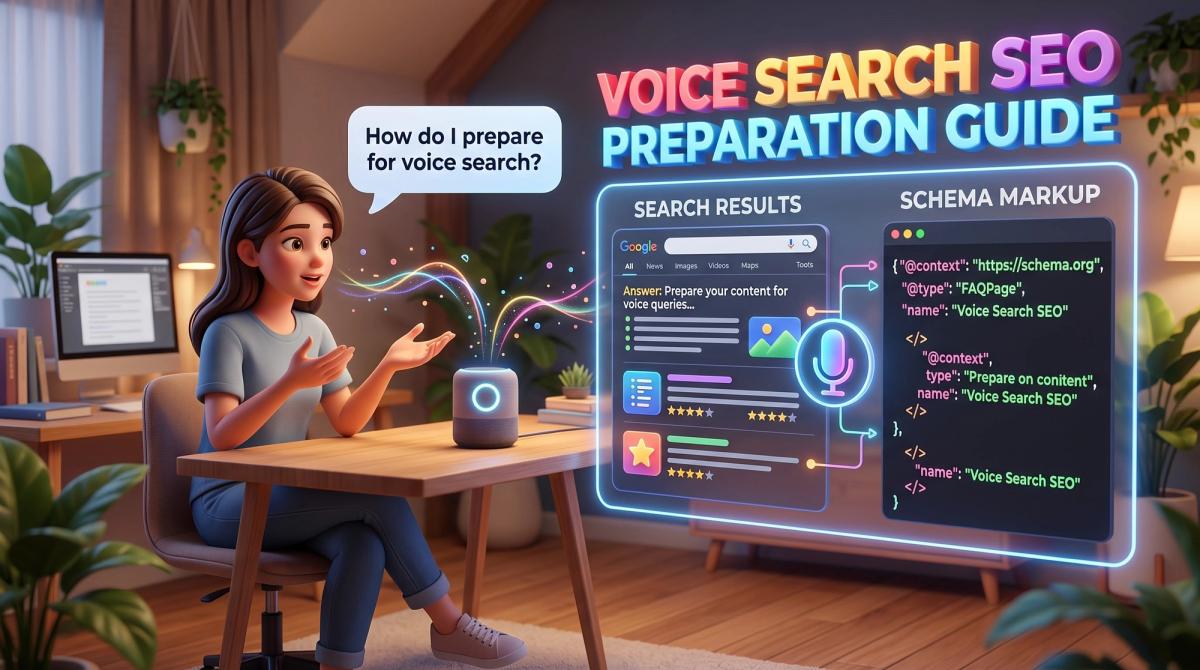
Ask your phone for the nearest petrol pump and it answers in two seconds. Nobody scrolls through ten blue links. They hear one answer, and the brand behind that answer gets the visit. This is the situation voice search SEO is built for.
Voice search lets people speak a question instead of typing keywords. They do it through Google Assistant, Siri, Alexa, in-car systems and the microphone icon in every browser. For developers, testers, researchers, CTOs and digital marketers, voice search SEO preparation is no longer a side experiment. It touches content, markup, performance and measurement, so it needs a plan that every team can follow.
This guide explains how voice search works, how it differs from typed search, and gives you a ten-step plan to start this week. It follows the same approach we use in our SEO services work at Cinute InfoMedia (CIM).
What Is Voice Search SEO?
Voice search SEO is the practice of making your pages easy for assistants and search engines to understand, select and read aloud. Traditional SEO asks, "Can my page rank in a list?" Voice SEO asks, "Can my page be the single answer?"
An assistant does three things in a row. It converts speech to text, interprets the intent using natural language processing, and then picks one source to answer from. Your job is to be the clearest, fastest and most trustworthy source for that question.
Voice search is not a separate search engine. It uses the same index, the same ranking systems and the same quality signals as typed search. What changes is the shape of the query and the shape of the winning answer.
How Voice Queries Differ From Typed Queries
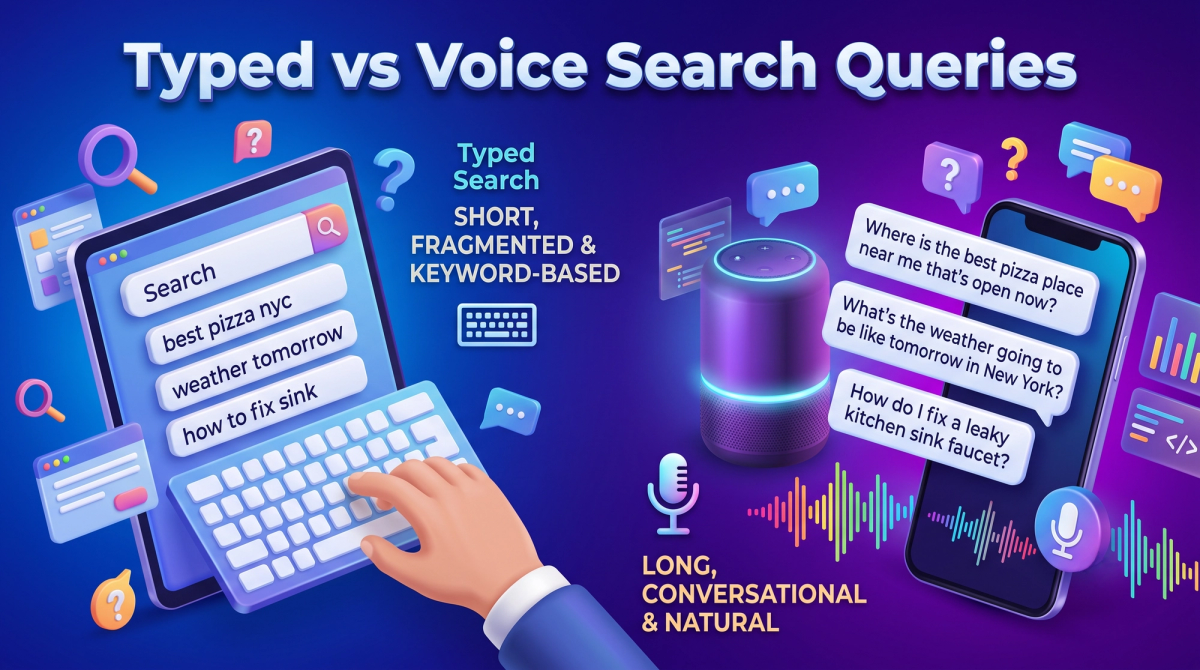
People type fragments but speak in full sentences. Someone might type "best crm small business" and then say, "Which CRM is best for a small business with five employees?" The spoken version is longer, more specific and usually starts with a question word.
| Feature | Typed search | Voice search |
|---|---|---|
| Length | 2–4 words | 6–12 words or more |
| Style | Keyword fragments | Natural, conversational sentences |
| Intent | Often browsing | Often immediate and local |
| Result | List of links | One spoken answer |
| Device | Desktop and mobile | Phone, speaker, car, wearable |
These differences shape every step that follows. Longer queries mean long-tail keywords matter more. A single spoken answer means position one, or better, a featured snippet, is the only position that counts. Immediate intent means speed and local accuracy decide who wins.
Why You Should Prepare Now
There are four practical reasons to act now.
- Assistants are everywhere. Phones, watches, TVs, speakers and cars all ship with voice input, so your audience is already speaking to devices.
- Zero-click answers are growing. Search results increasingly answer questions directly, which rewards pages that state facts clearly.
- AI search rewards clarity. The structure that suits voice, such as direct answers, headings and markup, also helps AI-driven search features cite your content.
- Competitors move slowly. Most sites still write for keywords instead of questions, so early movers gain easy ground.
Who Owns Voice Search in Your Team?
Voice readiness is a shared responsibility, and splitting it clearly avoids delays. Marketers own question research and content. Developers own markup, speed and rendering. Testers own validation and regression checks. Product managers and CTOs own priorities, budget and the roadmap, and they decide which templates get structured data first. Researchers and analysts own measurement. When each role knows its part, voice search SEO preparation becomes a normal sprint item instead of a one-off project that nobody finishes.
Voice Search SEO Preparation: A 10-Step Plan
Step 1: Research Conversational Keywords
Start with how real people ask. Export your existing queries from Google Search Console and filter for questions starting with who, what, where, when, why and how. Tools such as Semrush, AlsoAsked and the "People Also Ask" box show related questions you may have missed.
Group the questions by topic and intent. A page about "voice search SEO" might also answer "how to optimize a website for voice search" and "does voice search affect SEO." One page, one clear topic, many related questions.
Step 2: Map Each Question to Search Intent
Not every question wants the same answer. Informational questions need a short explanation. Navigational ones need a clear brand or location page. Transactional ones, such as "book a web developer near me," need a fast path to action.
Label each question with its intent before you write. This prevents the common mistake of answering a "how" question with a sales page.
Step 3: Write Answer-First Content
Place a direct answer of roughly 30 to 50 words immediately under the question heading, then expand below it. Assistants prefer text that is complete, neutral and easy to read aloud.
For example, under the heading "What is voice search SEO?" write one plain sentence that defines it. Then add examples, steps and data. Readers who want depth keep reading, and assistants get the clean block they need.
Keep sentences short and use everyday words. A good test is to read the answer aloud. If you stumble, the assistant will too.
Step 4: Build FAQ and Q&A Content
FAQ sections are the easiest way to mirror spoken questions. Add them to service pages, product pages and blog posts, and write each question exactly as a person would say it.
Use real questions from sales calls, support tickets and chatbot logs. Our team covers this approach in detail inside our SEO content writing services, where every page starts from a question map rather than a keyword list.
Step 5: Add Structured Data
Structured data labels your content so machines do not have to guess. Use JSON-LD, the format Google recommends, and validate it before release.
Useful types for voice readiness include:
- FAQPage and QAPage for question and answer content.
- HowTo for step-by-step instructions.
- LocalBusiness for address, hours, phone and service area.
- Organization and Article for brand and authorship signals.
- Speakable for sections suited to text-to-speech, though support is limited and mainly aimed at news content.
Note that Google reduced the visibility of FAQ rich results in 2023, so do not expect visual snippets on every site. The markup still clarifies your page structure. Always check Google Search Central for current eligibility rules.
Step 6: Target Featured Snippets and People Also Ask
Voice assistants often read featured snippets. To compete, find queries where a snippet already appears, then publish a clearer and better organized answer.
Use the format the snippet prefers. Definitions work as short paragraphs, processes work as numbered lists, and comparisons work as tables. Use descriptive headings so the structure is obvious at a glance.
Step 7: Make Pages Fast and Mobile-First
Voice users are impatient and mostly on mobile. A slow page loses before it is even considered. Aim for the Core Web Vitals "good" thresholds: Largest Contentful Paint under 2.5 seconds, Interaction to Next Paint under 200 milliseconds, and Cumulative Layout Shift under 0.1.
For developers, the main levers are image compression, modern formats such as WebP and AVIF, lazy loading, minimal render-blocking scripts, efficient caching and a CDN. If your stack is the bottleneck, our web design and development team builds fast frameworks such as Next.js and Astro that make these gains easier.

Step 8: Fix the Technical Foundation
An assistant cannot read what it cannot crawl. Confirm that your important pages are indexable, served over HTTPS, free of redirect chains and included in a clean XML sitemap. Use a logical heading hierarchy, one H1 per page, and descriptive internal links.
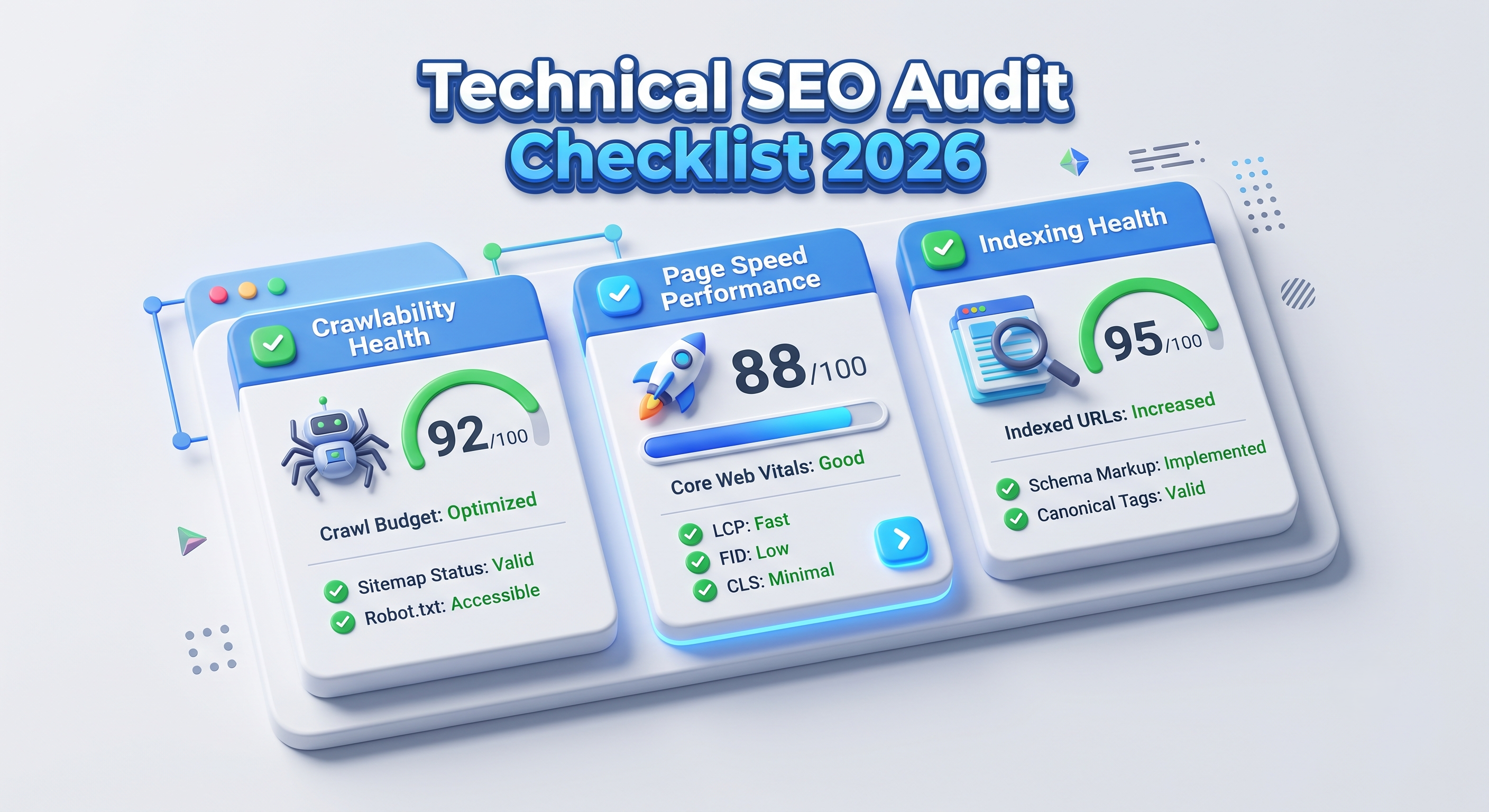
If you have not reviewed your site recently, start with a structured audit. Our technical SEO services cover crawlability, rendering and indexation, and the Technical SEO Audit Checklist 2026 gives you the full step-by-step list to run yourself.
Step 9: Strengthen Local SEO
A large share of voice questions are local, such as "web development company near me" or "IT training institute open now." Assistants answer these from your Google Business Profile and local citations.
Keep your name, address and phone number identical everywhere. Fill every profile field, add accurate opening hours, choose precise categories, publish photos and reply to reviews. Our local SEO services help multi-location and service-area businesses stay consistent.
Step 10: Bring Conversation Onto Your Own Site
Voice search is one part of a wider shift toward conversational interfaces. The same question bank you built for SEO can power an on-site assistant that answers visitors instantly.
An AI-powered chatbot trained on your FAQs, documentation and product data keeps users engaged, and its conversation logs reveal new questions to target in future content. This creates a loop where SEO research improves the bot, and the bot improves SEO research.
How Developers and Testers Can Validate Voice Readiness
Voice SEO is easy to ship and hard to verify unless QA is involved. Add these checks to your release process.
- Ask the assistants. Speak your target questions to Google Assistant, Siri and Alexa on real devices, and record which source each one reads.
- Validate markup. Run the Rich Results Test and the Schema Markup Validator on every template.
- Test performance. Check Core Web Vitals in PageSpeed Insights and field data in Search Console.
- Read answers aloud. Have a teammate read the top paragraph of each page. Flag anything awkward or too long.
- Check mobile rendering. Test on slow networks and mid-range devices, not only flagship phones.
Treat these as regression tests. A template change that breaks your structured data can silently remove you from answer results.
How to Measure Voice Search Performance
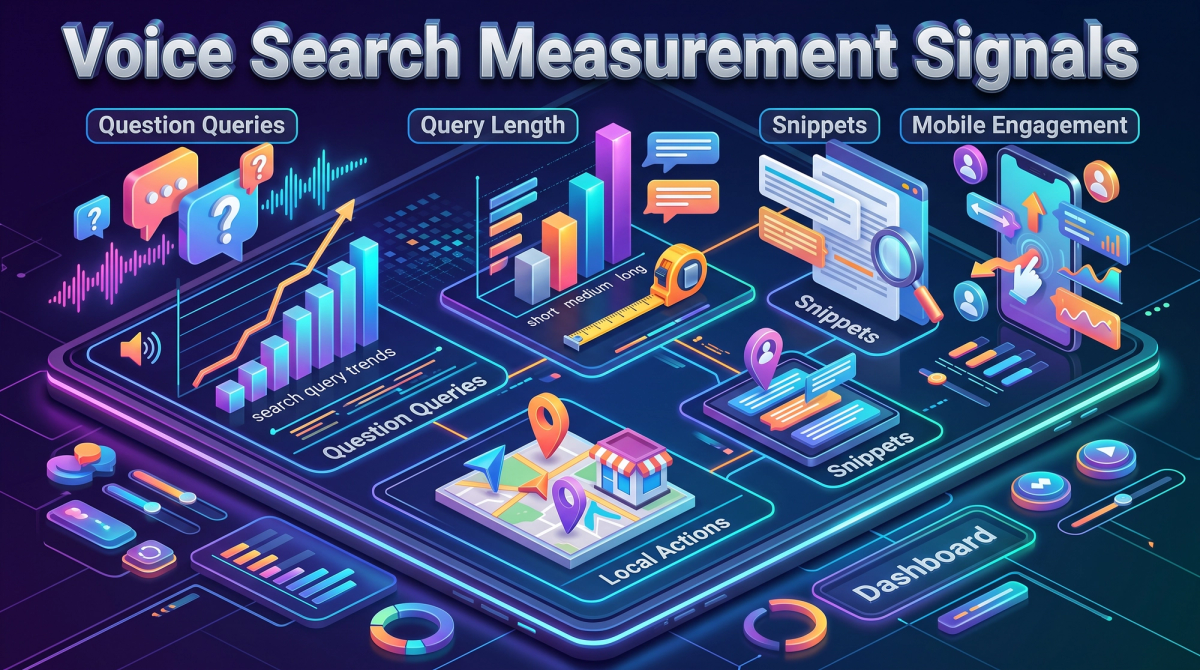
No major platform reports "voice" as a clean traffic source, so measure the signals around it instead.
- Question queries in Search Console: track impressions and clicks for queries that start with question words.
- Average query length: a rising word count suggests more conversational traffic.
- Featured snippet ownership: monitor your snippet count in Semrush or a similar rank tracker.
- Local actions: calls, direction requests and website clicks from your Business Profile.
- Mobile engagement: bounce rate, scroll depth and conversions on mobile.
Review these monthly and annotate the date of each content or markup release, so you can connect changes to outcomes.
Common Voice Search SEO Mistakes to Avoid
- Writing for robots only. Stiff, stuffed sentences read badly aloud. Write for people first.
- Burying the answer. If the answer sits under four paragraphs of background, assistants will skip it.
- Ignoring intent. A page that answers the wrong kind of question will not be chosen.
- Treating schema as magic. Markup helps, but it cannot rescue thin or inaccurate content.
- Forgetting local data. Outdated hours or phone numbers cost real customers.
- Skipping measurement. Without tracking, you cannot prove what worked.
Frequently Asked Questions
What is voice search SEO?
Voice search SEO is the process of optimizing content, markup and site performance so assistants can find, understand and read your answers aloud for spoken queries.
Does voice search change how I do keyword research?
Yes. Focus on long-tail, question-based keywords written in natural language, and group them by search intent instead of chasing single head terms.
Is schema markup required for voice search?
No, it is not required, but it helps machines interpret your content. Clear writing, speed and strong rankings matter more than markup alone.
How long does voice search optimization take to work?
Technical fixes can show effects within weeks, while content and authority gains usually take a few months. Track question queries and snippets monthly.
Final Thoughts
Voice search rewards the same fundamentals that make a site good for people: clear answers, fast pages, accurate data and a logical structure. Start with your question research, rewrite your top pages answer-first, add the right markup and test on real devices.
If you want a team to audit your site for voice readiness and build the roadmap with you, talk to the CIM team and start with a free digital audit.
Related Articles

Analytics for Bot Performance: How to Measure, Improve and Prove Your Chatbot's Value
Your chatbot is live, but is it working? This guide explains analytics for bot performance in plain language: the metrics that matter, how to set up tracking, and how to turn conversation data into better answers, lower costs and measurable ROI.
Technical SEO Audit Checklist 2026: The Complete Step-by-Step Guide
A technical SEO audit finds the hidden problems that stop search engines from crawling, rendering and ranking your pages. This 2026 checklist walks developers, testers, CTOs and marketers through every step, from crawlability and Core Web Vitals to structured data and AI search readiness.

Logo Design Trends 2026: 8 Shifts Every Tech Brand Must Know
Logos now work like small pieces of software. Discover the 8 logo design trends of 2026, from adaptive systems to motion and dark-mode palettes, plus a technical checklist for developers and marketers.