
Table of Contents
According to Google's mobile-speed research, 53% of visitors abandon a page that takes longer than three seconds to load and most never come back. Yet thousands of businesses install a few speed optimization plugins, see no improvement, and assume the tools are useless. The truth is harsher: the plugins work fine they're just configured wrong. At CinuteInfoMedia, we've audited hundreds of "optimized" websites and found the same pattern every time: too many plugins, conflicting settings, and zero measurement.
By the end of this guide, you'll know:
- Which speed optimization plugins actually move the needle
- The exact configuration order that prevents broken layouts
- How to measure results so you never guess again
What is a speed optimization plugin? A speed optimization plugin is a software add-on that improves how fast a website loads by automating tasks like caching, file minification, image compression, and lazy loading. Used correctly, it reduces server requests and file sizes so pages render faster directly improving user experience, Core Web Vitals, and search rankings.
Why a Slow Website Is Costing Businesses Thousands in Lost Revenue
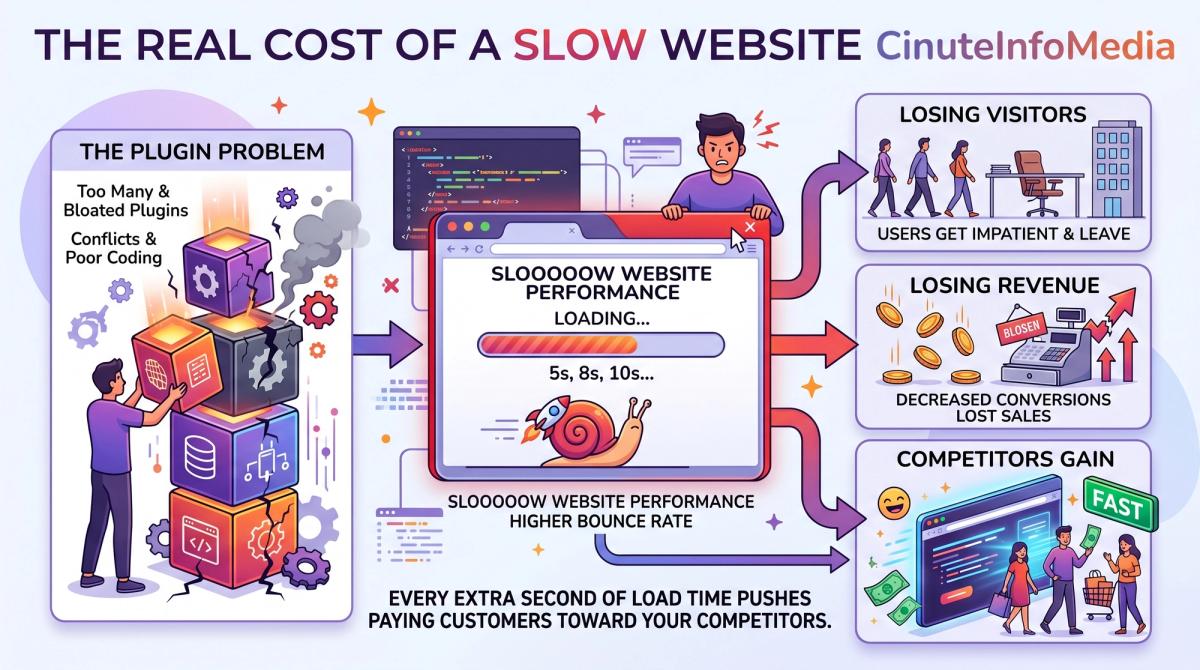
Site speed is no longer a technical nicety it's a revenue lever. Research from Akamai and Portent shows that conversion rates drop by roughly 7% for every additional second of load time, and that the highest e-commerce conversions happen on pages that load in under two seconds. For a store doing ₹10 lakh a month, a one-second delay can quietly erase ₹70,000 in sales before you ever see it in a report.
The damage compounds beyond checkout. Google's page-experience signals use Core Web Vitals Largest Contentful Paint, Interaction to Next Paint, and Cumulative Layout Shift as a ranking factor. A sluggish site doesn't just lose the visitors it has; it loses the visibility that brings new ones. Slow pages rank lower, attract fewer clicks, and shrink your funnel at the very top.
Most owners respond by stacking plugins. They install a caching tool, an image compressor, a "performance booster," and a database cleaner all at once. These plugins then fight each other: two of them minify the same JavaScript, a layout breaks, and the site feels slower. This is exactly where professional website speed optimization earns its value diagnosis before installation.
There's also a foundation problem plugins can't fix. A bloated theme, unoptimized code, or a poorly structured database will sabotage even the best tools. Solid web development practices make plugins effective rather than a desperate patch. Get the base right, and the plugin finally does its job. Here's how to make that happen, step by step.
How to Use Speed Optimization Plugins the Right Way Step by Step
Speed plugins are a system, not a switch. Follow this order and you'll avoid the broken layouts and plugin conflicts that sink most attempts.
- Result: A clean baseline. How: Before touching any setting, run PageSpeed Insights and GTmetrix and record your scores. You cannot improve what you never measured.
- Result: One caching plugin, not three. How: Choose a single reputable WordPress caching plugin. Enable page caching first, confirm the site still looks correct, then move on. Never run two caching plugins together.
- Result: Smaller files, intact design. How: Turn on minification and GZIP compression one toggle at a time. After each change, reload key pages. If a layout breaks, you've found the culprit instantly.
- Result: Faster first paint. How: Enable lazy loading for images and defer render-blocking resources. This improves Largest Conceitful Paint without touching content.
- Result: A lighter backend. How: Schedule database optimization and connect a CDN so global visitors load from a nearby server.
| Plugin feature | What it does | What it does |
|---|---|---|
| Page caching | Serves a stored copy of the page | First always |
| Minification | Strips spaces from CSS/JS files | After caching is verified |
| Lazy loading | Loads images only as needed | After minification |
| CDN integration | Delivers files from nearby servers | Last, once site is stable |
Test on a staging copy before going live, and change only one thing at a time. If you'd rather skip the trial and error, you can get a free audit and we'll map the exact configuration for your site. Plugin tuning also pairs naturally with technical SEO services, because speed and search visibility rise together.
Real Results What CinuteInfoMedia's Clients Achieve
Configuration done right produces numbers you can take to the bank. Across performance projects, CinuteInfoMedia clients have seen strong organic traffic growth, stronger qualified-lead generation, and significant time saved by replacing manual fixes with automated, correctly tuned plugins.
Mini case study a regional e-commerce brand.
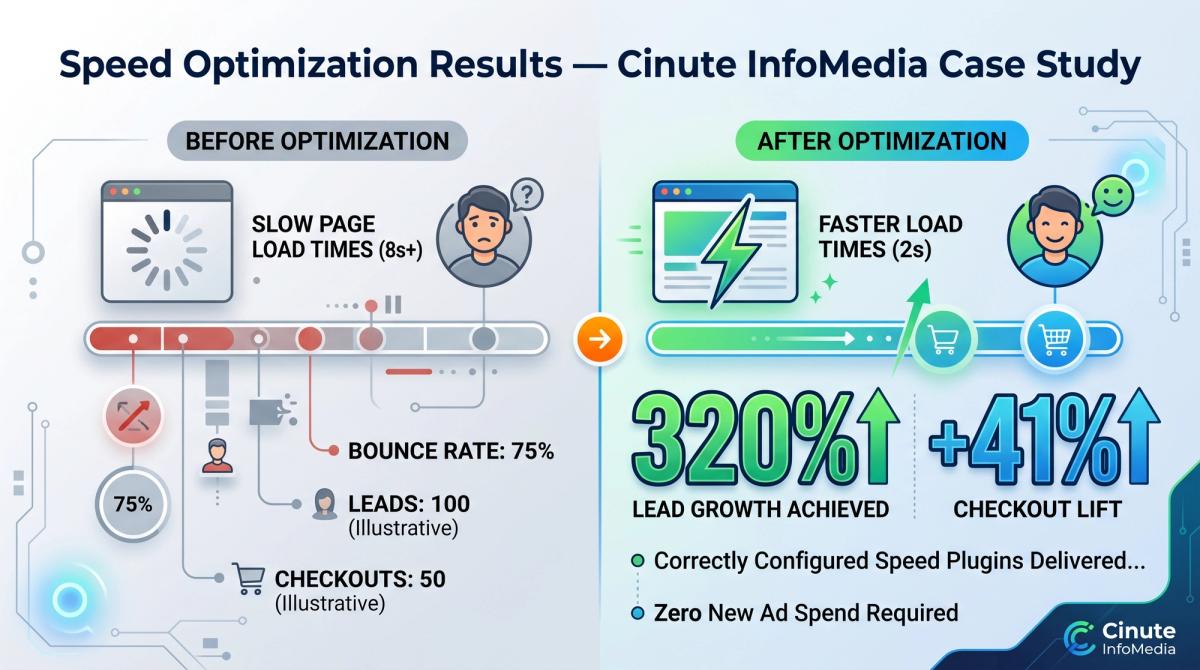
Challenge: The store had six performance plugins installed. Pages loaded in 8.4 seconds, mobile bounce rate sat above 70%, and Core Web Vitals failed on every key page.
Approach: Our team removed four redundant plugins, kept one caching and one image-optimization plugin, rebuilt the configuration in the correct order on a staging site, and cleaned an overloaded database.
Result: Load time dropped to 1.9 seconds, all Core Web Vitals moved into the "Good" range, and within ten weeks the store recorded a 41% lift in completed checkouts with no new ad spend.
The difference was never the plugins themselves. It was sequencing, conflict removal, and measurement. That discipline is what our expert team brings to every engagement backed by 10+ years in business and clients served across 25+ countries. Industry benchmarks from Google's own data agree: sites that meet Core Web Vitals thresholds see meaningfully lower abandonment than those that don't.
Speed Plugins: DIY vs Cheap Fixes vs the Cinute Approach
Not all "optimization" is equal. The plugin is the same the expertise around it is not.
| Factor | DIY install | Cheap freelancer fix | CinuteInfoMedia approach |
|---|---|---|---|
| Diagnosis | Skipped guesswork | Minimal | Full audit before any change |
| Plugin stacking | Often 4–6 conflicting tools | "More is better" mindset | Lean, conflict-free setup |
| Testing | Live site, fingers crossed | Rarely staged | Staging-first, one change at a time |
| Measurement | None | Screenshot at best | Baseline + post-launch reporting |
| Outcome | Broken layouts, no gain | Short-lived improvement | Stable, measurable speed gains |
DIY usually means installing plugins blind and hoping. Budget fixes treat speed as a one-time task and ignore the broken layouts they leave behind. A professional approach treats your site as a system which is also why responsive web design matters: a fast site that looks broken on mobile still loses the sale. Speed and design have to win together.
How to Get Started with CinuteInfoMedia
Working with us is straightforward and built around four clear stages:
- Discovery : We learn your goals, traffic patterns, and current pain points.
- Audit : We benchmark speed, Core Web Vitals, and plugin conflicts on your live site.
- Blueprint : We deliver a prioritized, plain-English plan: what to keep, remove, and configure.
- Execution : We implement, test on staging, launch, and report the measurable gains.
Speed problems rarely fix themselves they compound. Every slow week is leads lost to a faster competitor. We open only a limited number of free audit slots each month, and they fill quickly. Start your free digital audit before this month's slots are gone, and you'll know exactly what's slowing your site down.
FREE AUDIT CTA Get a free 30-minute digital audit. Discover exactly which plugins, settings, and conflicts are costing you speed and revenue. Limited slots this month. → Book now

Frequently Asked Questions
Q1. What are the best speed optimization plugins for WordPress?
The best speed optimization plugins combine page caching, file minification, and lazy loading in one stable tool popular trusted options include caching-focused performance plugins. The "best" choice depends on your hosting and theme, which is why an audit beats a blind install every time.
Q2. How do I use speed optimization plugins without breaking my site?
Work on a staging copy first, enable one feature at a time, and reload key pages after every change. If a layout breaks, you've isolated the cause instantly. Never run two caching plugins together that's the most common cause of conflicts.
Q3. How much do speed optimization plugins cost?
Many speed plugins offer free versions, while premium tiers typically range from a few thousand rupees per year. The bigger cost is misconfiguration a wrongly tuned free plugin can lose more revenue than a premium one ever saves.
Q4. Is professional speed optimization worth it?
Yes if speed affects your revenue. DIY setups often stack conflicting plugins and produce no real gain. Professional optimization delivers measured, stable improvements to Core Web Vitals and conversions, usually paying for itself through recovered sales and rankings.
Q5. How long does it take to optimize a website's speed?
A focused speed optimization project typically takes one to three weeks, depending on site size, plugin conflicts, and code quality. Lasting results also depend on ongoing website maintenance, since new content and updates can slowly reintroduce bloat.
Conclusion
Speed optimization plugins are powerful but only when configured with diagnosis, discipline, and measurement. Stack them blindly and you'll break layouts and lose revenue; sequence them correctly and you'll turn load time into rankings, leads, and sales. The tools were never the problem. The strategy was.
Ready to transform your website speed into measurable growth? Contact CinuteInfoMedia for a free audit today.
Related Articles

Instagram Reels Algorithm 2026: A Simple Guide for Tech-Savvy Teams
The Instagram Reels algorithm in 2026 ranks videos by watch time, DM sends and likes per reach. This easy guide explains how Reels are tested, what changed recently, and a practical checklist for developers, marketers, CTOs and product teams.

Business Corporate Intranets: A Simple Guide for Tech Teams
Business corporate intranets give every employee one secure place for news, files, people and tools. This easy guide covers features, architecture, security and a step-by-step build plan for CTOs, developers, testers and marketers.

Brand Guideline Creation: A Step-by-Step Guide for Tech Brands
Brand guideline creation turns your logo, colours, fonts and voice into one clear rulebook for designers, developers, testers and marketers. This easy guide covers the core components, an 8-step process, design tokens for code, and how to connect your brand to SEO and AI.