

Table of Contents
Regression Testing Automation in Software Testing: A Practical Guide
Shipping new code is the easy part. The hard part is being certain that the feature you shipped on Tuesday didn't quietly break the checkout flow you shipped last March.
That's the entire problem regression testing solves and it's the reason regression testing automation has moved from a "nice-to-have QA practice" to core release infrastructure for any team deploying more than once a month.
This guide explains it in plain English: what regression testing actually is, why manual testing collapses at scale, what to automate first, how to stop flaky tests from destroying trust in your suite, and which numbers matter to a CTO or product manager. If you build, test, market, or own a digital product, there's something here for you.
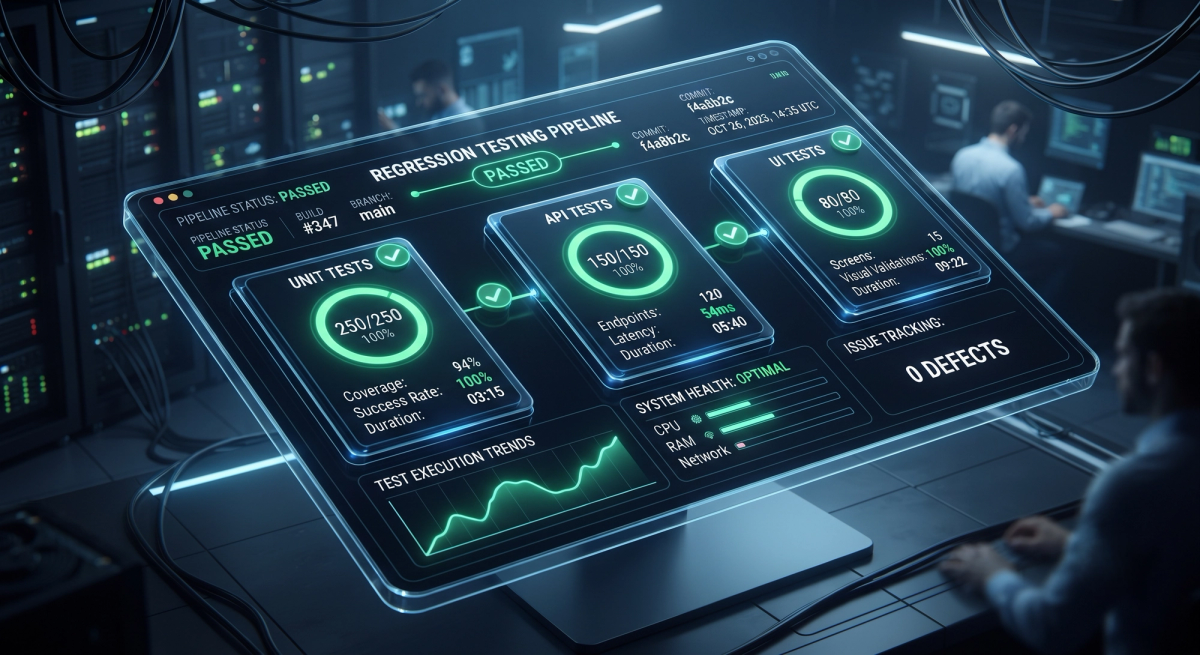
What Is Regression Testing?
Regression testing is re-running tests on features that already worked, to confirm your latest change didn't break them.
The name comes from the word regress to go backwards. A "regression" is when working software moves backwards into a broken state because of an unrelated change.
A simple example: your team updates the date library used across the app to patch a security issue. The new feature works perfectly. But three screens away, an invoice page that formats billing dates now shows Invalid Date for every customer in Europe. Nobody touched the invoice page. It broke anyway.
That's a regression. And nobody would have found it by testing only the new feature. The key distinction:
| Testing type | Question it answers |
|---|---|
| Functional / new feature testing | Does the new thing work? |
| Regression testing | Did the new thing break any old thing? |
| Smoke testing | Is the build stable enough to test at all? |
| Sanity testing | Does this specific fix actually work? |
Regression testing is the widest net of the four and the most expensive to cast by hand.
Why Manual Regression Testing Breaks Down
Manual regression works fine at first. Then the math turns against you.
Say your product has 400 regression test cases and each takes an average of 3 minutes to execute manually. That's 20 hours one tester, half a work week, per release.
Now deploy weekly. That's a full-time person doing nothing but re-clicking the same screens. Deploy daily, and manual regression becomes mathematically impossible. Three things go wrong at that point:
- Coverage silently shrinks. Under deadline pressure, testers skip "low-risk" cases. Those become the blind spots where bugs live.
- Humans get bored. Executing the same 400 steps for the fortieth time produces attention fatigue and missed defects this is a well-documented limitation of repetitive manual verification, not a criticism of testers.
- Release cadence slows to match testing speed. Your engineering velocity gets capped by your QA throughput.
Automation doesn't make testing "better" in some abstract sense. It makes repetition free, so humans can spend their time on exploratory testing, edge cases, and usability the work machines are genuinely bad at.
What Regression Test Automation Actually Involves
Automation means encoding your regression cases as executable scripts that run without human intervention, triggered automatically by a code change.
A properly automated regression setup has four moving parts:
- The test code - scripts that drive the application and assert expected outcomes.
- Test data - reliable, isolated data each test can depend on.
- The runner and environment - where tests execute (containers, browser grids, device farms).
- The trigger - CI/CD integration that runs the right tests at the right moment.
Miss any one and the whole thing degrades. Teams that write excellent test code but neglect test data isolation end up with a suite that fails randomly and a suite nobody trusts is worse than no suite at all, because it burns engineering time without preventing bugs.

Building the Right Shape: The Test Automation Pyramid
The single biggest mistake teams make is automating everything through the user interface. UI tests are the slowest, most fragile, and most expensive tests you can write. A suite made entirely of them takes hours to run and breaks every time a designer moves a button.
The pyramid model gives you a sane distribution:
| Layer | Share of suite | Speed | What it checks |
|---|---|---|---|
| Unit tests | ~70% | Milliseconds | Individual functions and components in isolation |
| API / integration tests | ~20% | Seconds | Endpoints, business logic, service contracts, database interactions |
| UI / end-to-end tests | ~10% | Minutes | Complete user journeys through the real interface |
Those percentages are a guideline, not gospel a data-heavy backend will skew further toward unit and API, while a content-driven marketing site may need proportionally more visual coverage. The principle holds regardless: push each test as far down the pyramid as it can meaningfully go.
If you can verify a discount calculation with a unit test in 8 milliseconds, don't verify it by driving a browser through a five-step checkout for 45 seconds. Reserve end-to-end tests for the handful of journeys where the integration between layers is genuinely the thing under test signup, login, checkout, payment, core workflow completion.
This architectural discipline matters more the more complex your stack gets. It's the same principle that governs well-built custom web applications and SaaS platforms: separate your concerns, and each layer becomes independently testable.
What to Automate First: A Simple Scoring Framework
You cannot automate everything at once, and you shouldn't try. Score each candidate test case across four dimensions and start at the top.
| Factor | Ask yourself | High score means |
|---|---|---|
| Business risk | What breaks if this fails in production? | Revenue, data loss, security, compliance |
| Execution frequency | How often is this re-tested? | Every single release |
| Stability | How often does this feature's design change? | Rarely the flow is settled |
| Manual cost | How long and how tedious is it by hand? | Slow, repetitive, error-prone |
Automate first: login and authentication, payment and checkout, user registration, core CRUD operations, search, permission and role boundaries, and any workflow tied directly to revenue.
Automate later: secondary reporting, admin panels used by five internal people, rarely-touched settings screens.
Don't automate: features still in active design churn, one-off exploratory checks, anything requiring genuine human aesthetic judgment, and tests that would take longer to maintain than to run manually.
That last category is real. A test case executed twice a year that takes four hours to automate and breaks every sprint is a net loss. Automation is an investment with a payback period treat it like one.
The 2026 Regression Testing Tool Landscape
| Tool | Best for | Notes |
|---|---|---|
| Playwright | Modern web E2E | Auto-waiting, cross-browser, excellent parallelism, strong TypeScript support |
| Cypress | Web E2E, developer experience | Superb debugging and time-travel; runs inside the browser |
| Selenium WebDriver | Legacy and broad browser support | The long-standing standard; largest ecosystem and talent pool |
| Appium | Mobile app regression | Cross-platform iOS and Android automation |
| REST Assured / Postman + Newman | API regression | Fast, stable, high ROI start here if you're starting anywhere |
| Applitools / Percy | Visual regression | Catches CSS and layout breaks that functional tests pass right over |
| Pact | Contract testing | Prevents microservice integration regressions |
| k6 / JMeter | Performance regression | Catches speed degradation before users do |
If you're building your first suite and want the fastest return, start with API regression tests. They're quicker to write than UI tests, dramatically more stable, and they catch the majority of logic bugs. UI tests then become a thin confirmation layer on top.
For mobile products, the same tiering applies the details of device fragmentation and OS version coverage make regression automation even more valuable, which is why it's baked into serious mobile app development practice rather than bolted on at the end.

Wiring It Into CI/CD: Run the Right Tests at the Right Time
Running your entire regression suite on every commit sounds thorough. In practice it means developers wait 90 minutes for feedback, so they stop waiting and start ignoring results.
Tier your execution instead:
On every commit / pull request (target: under 10 minutes) Unit tests plus a smoke suite of 15–30 critical-path checks. Fast enough that developers actually wait for the result.
On merge to main (target: under 30 minutes) Full API regression plus the priority UI journeys. Parallelised across multiple runners.
Nightly (unbounded) The complete regression suite, cross-browser, cross-device, including slow visual and performance checks.
Pre-release (gated) Everything, against a production-like environment, with results as an explicit release gate.
Three techniques make this feasible at scale: parallelisation (split tests across concurrent runners), test impact analysis (run only the tests whose code paths the change actually touched), and containerised environments (guarantee every run starts from an identical clean state).
The orchestration logic here triggers, conditional branches, and automatic escalation on failure is the same class of problem solved by well-designed AI workflows and business process automation. Pipelines are just automations with higher stakes.
The Flaky Test Problem (And How to Actually Fix It)
A flaky test passes and fails on identical code. It is the single most common reason regression automation initiatives die.
The failure mode is social, not technical: once a suite produces false alarms, engineers start re-running failures until they go green. At that point the suite has stopped being a safety net and become a slot machine.
Common causes and their fixes:
| Cause | Fix |
|---|---|
| Hard-coded waits (sleep(3)) | Use web-first auto-waiting assertions |
| Shared mutable test data | Isolate data per test; seed and tear down |
| Test order dependency | Make every test independently runnable |
| Brittle CSS or XPath selectors | Use stable data-testid attributes |
| Third-party API variability | Mock or stub external dependencies |
| Timezone and date drift | Freeze clocks; never assert against now() |
| Animation timing | Disable animations in the test environment |
The governance rule that saves suites: quarantine, don't ignore. When a test proves flaky, move it out of the blocking pipeline into a quarantine job immediately, log it as a bug, and fix it within a defined window. Never let a known-flaky test stay in the pipeline "for now" that's how trust erodes one re-run at a time.
Track flake rate (percentage of runs where a test result changed without a code change) as a first-class metric. Healthy suites sit below 1%.
The Four Metrics CTOs and Product Managers Should Track
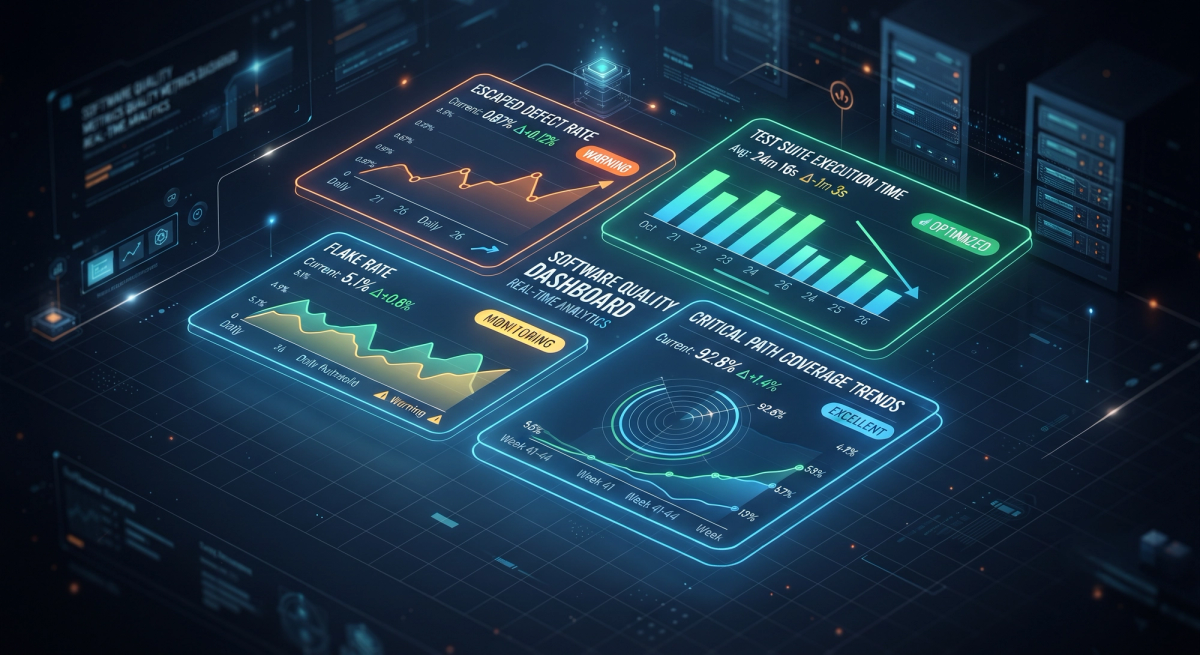
Automation coverage percentage is a vanity metric. These four tell you whether your investment is working:
- Escaped defect rate - bugs that reached production per release. This is the number regression automation exists to reduce. If it isn't falling, nothing else matters.
- Suite execution time - how long from commit to feedback. This determines your maximum deployment frequency.
- Flake rate - the trust metric. Above ~2% and your team is quietly ignoring failures.
- Critical path coverage - what percentage of revenue-generating user journeys are automated. Far more meaningful than raw line coverage.
A useful sanity check for any budget conversation: compare the cost of building and maintaining the suite against the cost of one production incident engineering hours to hotfix, support load, refunds, and reputational damage. For most products past early stage, a single prevented checkout outage pays for a quarter of automation work.
Where AI Genuinely Helps in 2026
AI has changed parts of the regression testing workflow meaningfully:
- Self-healing locators automatically update element selectors when the DOM shifts, cutting one of the largest maintenance costs in UI automation.
- Predictive test selection uses historical failure data to predict which tests are most likely to catch a bug in a given change, letting you run a fraction of the suite with most of the confidence.
- Visual AI distinguishes meaningful layout breaks from harmless anti-aliasing differences solving the false-positive problem that made pixel-diffing unusable for years.
- Test generation from requirements or user sessions produces solid first drafts, especially for boilerplate CRUD coverage.
Where it still falls short: AI-generated tests can be confidently wrong. They produce assertions that look reasonable and verify nothing meaningful a test that asserts a page loaded rather than that the correct total was calculated. Every generated test needs human review before it enters your suite, because a false sense of coverage is more dangerous than a known gap.
Treat AI as a force multiplier for experienced testers, not a replacement for test strategy.
Why Marketers and SEOs Should Care About Regression Testing
This is the section most engineering-focused guides skip, and it's where regression bugs cost the most money silently.
A code change can pass every functional test and still devastate your organic performance. Real examples that ship regularly:
- A noindex meta tag left in from staging, deployed to production, deindexing the site.
- Canonical tags pointing to the wrong URL after a routing refactor.
- Structured data breaking during a template change, killing rich results.
- Analytics or conversion tracking tags dropped during a build optimisation your funnel data goes quiet and nobody notices for three weeks.
- A new hero image regressing Largest Contentful Paint from 1.8s to 4.2s.
- Layout shift introduced by a late-loading component, tanking Cumulative Layout Shift.
None of these throw an error. The application "works." Revenue quietly drops.
The fix is to add SEO and performance assertions directly to your regression suite: automated checks on canonical tags, robots directives, structured data validity, tag firing, and Core Web Vitals budgets enforced in CI. This is exactly the territory covered by proper technical SEO services and treating those checks as regression tests rather than quarterly audits is what stops silent damage.
The performance side deserves the same treatment. Setting explicit speed budgets and failing the build when they're breached is the practical application of the techniques covered in our guide to web performance optimization.

A Realistic 90-Day Rollout Plan
Days 1–30 - Establish the baseline Audit existing manual regression cases. Score them using the four-factor framework above. Pick your stack. Automate the top 20 critical-path cases only. Wire them into CI as a blocking smoke suite. Ship something small that works.
Days 31–60 - Expand where ROI is highest Build out API regression coverage this is where you'll get the biggest return per hour invested. Introduce test data seeding and isolation. Establish the flake quarantine policy before you need it. Add parallel execution.
Days 61–90 - Harden and integrate Layer in visual regression on key templates. Add performance and SEO assertions. Set up the nightly full suite. Start reporting the four metrics to stakeholders. Document ownership: who fixes a broken test, and within what SLA.
The teams that succeed treat this as a product with a roadmap, not a project with an end date. Quality infrastructure needs the same ongoing rigour as a security audit programme run without downtime continuous, owned, and measured.
Five Mistakes That Kill Regression Automation Programmes
- Automating the UI first. Slow, brittle, expensive. Start with APIs.
- Chasing a coverage percentage. 90% coverage of trivial code is worth less than 40% coverage of your checkout flow.
- Assigning no owner. A suite everyone uses and nobody maintains rots within two quarters.
- Tolerating flakiness. Every ignored failure teaches the team that failures can be ignored.
- Treating it as a QA-only concern. Developers write unit tests. Product defines critical paths. Marketing defines tracking requirements. It's cross-functional or it's incomplete.
Frequently Asked Questions
How often should regression tests run?
Smoke tests on every commit, core regression on every merge to main, full suite nightly and before every release. Frequency should match deployment frequency.
Can regression testing be 100% automated?
No, and it shouldn't be. Automate the repeatable, deterministic checks. Reserve human testers for exploratory testing, usability, accessibility judgment, and edge cases nobody anticipated.
What's the difference between regression testing and retesting?
Retesting verifies that a specific reported bug is fixed. Regression testing verifies that the fix didn't break anything else. You need both.
How long should a regression suite take to run?
Smoke: under 10 minutes. Merge-gate suite: under 30 minutes. Full nightly suite: no hard limit. If your merge-gate suite exceeds 30 minutes, parallelise or apply test impact analysis.
Is regression testing relevant for marketing websites, not just applications?
Very much so. Broken canonical tags, dropped tracking pixels, and Core Web Vitals regressions cost real revenue and are invisible to functional testing. Every site that generates leads or sales benefits from automated regression checks.
The Bottom Line
Regression testing automation isn't about testing more. It's about making repetition free so your team can move faster with less fear.
Start narrow: twenty critical-path tests, wired into CI, that run in under ten minutes and that everyone trusts. Expand from proven value rather than from an aspirational coverage target. Guard your suite's credibility ruthlessly the moment engineers start ignoring red builds, you've lost the entire benefit.
At Cinute InfoMedia, quality engineering is built into how we deliver web design and development rather than added at the end. Continuous testing, real analytics, and performance budgets are part of the architecture from day one which is how we've delivered 300+ projects across 25+ countries without treating release day as a gamble.
Ready to audit your release pipeline? Get a free technical and digital audit and find out exactly where your quality gaps are costing you revenue.
Related Articles

Load Testing with JMeter: The Complete Guide for Performance-Driven Development
Load testing isn't optional—it's essential. Learn how JMeter helps development teams, QA professionals, and CTOs identify performance bottlenecks before they impact users.

The Ultimate Guide to Performance Marketing in 2026 (Strategy, KPIs & ROI)
Discover how performance marketing drives measurable ROI and learn why high-speed web development and AI automation are the secret weapons to maximizing your return on ad spend in 2026.

Entertainment Media Sites: The Complete Technical & Strategic Guide for CTOs & Managers
Comprehensive guide to building scalable entertainment media platforms. Learn streaming technology, personalization strategies, monetization models, and implementation roadmaps for CTOs and digital managers.