
Table of Contents
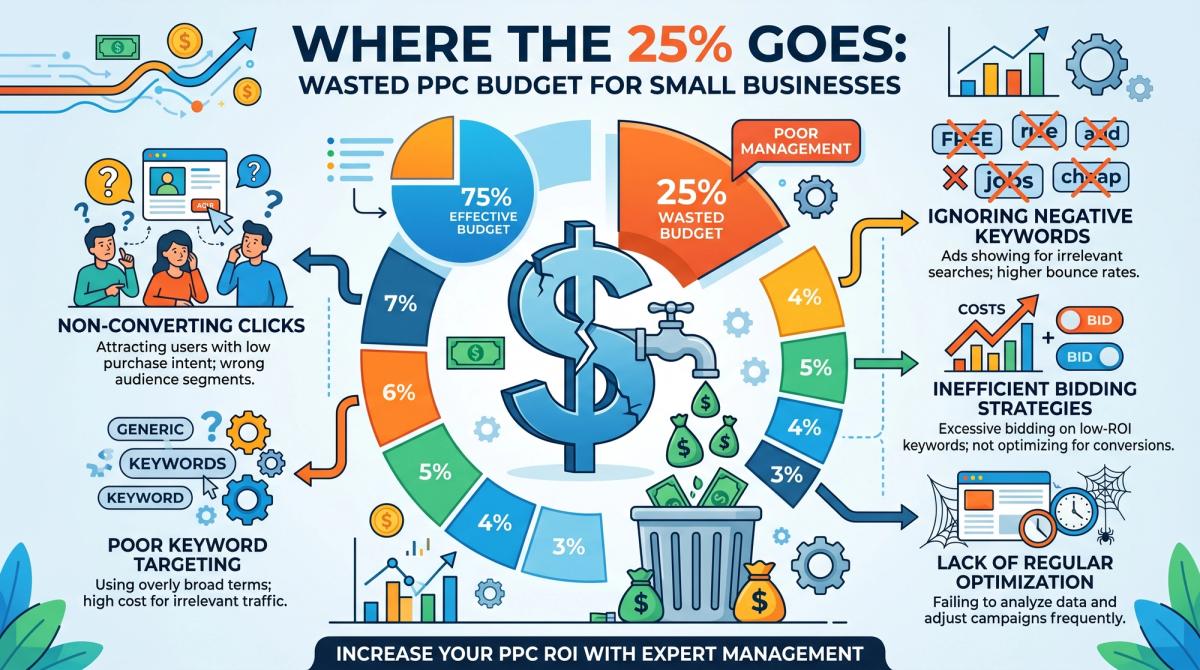
Here's an uncomfortable number: small and mid-sized businesses waste roughly 25% of their paid search budgets on clicks that never turn into customers, according to a widely cited WordStream study reported by Search Engine Land. For a business spending ₹80,000 a month, that's one in four rupees disappearing quietly, every single month.
Microsoft Ads for small businesses is one of the most underrated ways to fix this. With lower competition and cheaper clicks than Google, the platform rewards advertisers who run lean, tightly managed campaigns. The catch is that most owners "set and forget," and the budget bleeds.
At Cinute InfoMedia, we manage paid search for SMBs every day so we've seen exactly where the money leaks and how to plug it.
By the end of this guide, you'll know:
- Where Microsoft Ads budgets actually get wasted (and how to spot it in your own account)
- A clear 5-step framework to launch and run profitable campaigns
- When to manage it yourself versus bring in a specialist
What are Microsoft Ads for small businesses?
Microsoft Ads (formerly Bing Ads) is a pay-per-click platform that shows your ads across Bing, Yahoo, DuckDuckGo, and the Microsoft Audience Network. For small businesses, it typically offers a lower cost-per-click and less competition than Google Ads a budget-friendly way to reach high-intent, often higher-income searchers.
Why Wasted Ad Spend Is Quietly Draining Small Businesses
That 25% figure isn't bad luck it's the predictable result of running ads without active management. The same research found that fewer than half of small business accounts even have conversion tracking installed. If you can't see which clicks become leads, you're effectively flying blind and paying for the privilege.
Three leaks do most of the damage. First, missing negative keywords: without them, a plumber pays for "plumbing DIY tutorials" and a premium brand pays for "free" and "cheap" searches. Second, low quality scores, which can push your cost-per-click up sharply while a strong score earns a meaningful discount. Third, "set-and-forget" inactivity budgets keep spending on losing ad groups because nobody pauses them.
Quality score deserves special attention because it quietly sets your price. When your keyword, ad copy and landing page all match the searcher's intent, Microsoft charges you less per click and shows your ad more often. When they don't, you pay a premium for worse positions. So a neglected account isn't just wasting clicks it's paying inflated prices on the clicks it does win, and that gap compounds every week it's left alone.
The frustrating part is that the opportunity is genuinely large. According to Microsoft Advertising, the Microsoft Search Network reaches hundreds of millions of monthly unique searchers many of whom never see your Google ads at all. Disciplined Microsoft Ads management turns that reach into profit instead of waste.
Do the math on a typical account. At ₹80,000/month, a 25% leak is ₹20,000 wasted about ₹2.4 lakh a year evaporating with nothing to show for it. That's budget that could have funded a quarter of new campaigns. The fix isn't a bigger budget; it's better structure, which is the foundation of all good performance marketing services.
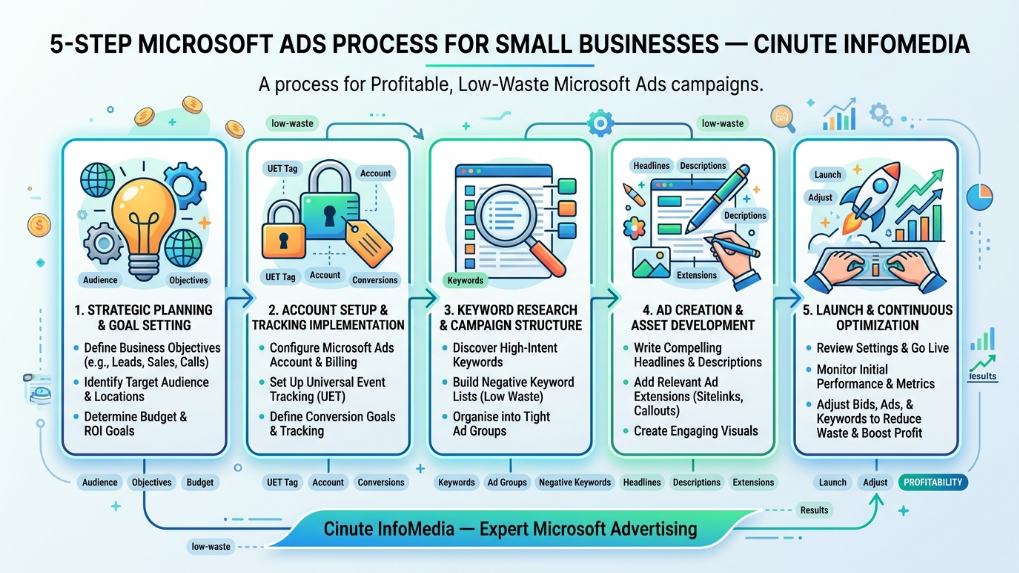
So how do you keep your spend working? It comes down to five steps.
How to Run Microsoft Ads for Small Businesses Step by Step
Run these in order. Each step protects budget before the next one spends it.
- Build a tightly themed account. Result: higher relevance and quality score, lower CPC. How: keep ad groups small (3–5 closely related keywords each) so every ad matches the search. If you already advertise on Google Ads, import those campaigns to save setup time then prune, don't paste.
- Install conversion tracking before you spend a rupee. Result: you optimise to leads and sales, not guesses. How: add the Universal Event Tracking (UET) tag and define real conversions (form fills, calls, purchases). No tracking = no idea what works.
- Create a negative keyword list from day one. Result: you stop paying for irrelevant clicks. How: exclude obvious wasters ("free," "DIY," "jobs," "course") and review your Search Terms report weekly to catch new ones.
- Set realistic budgets and a sensible bid strategy. Result: controlled, predictable spend. How: start with modest daily caps and Enhanced CPC, layer in location targeting and ad scheduling (dayparting) so you bid hardest when your buyers are active.
- Optimise on a fixed schedule. Result: losing ads get paused fast, winners get fed. How: review CTR, CPC and conversions after the first 48 hours, then weekly shift budget toward what converts and cut what doesn't.
Notice that four of the five steps happen before serious spending starts. That's deliberate: in Microsoft Ads, the cheapest budget to protect is the budget you haven't spent yet. Front-load the structure and tracking, and ongoing management becomes a 30-minute weekly habit instead of a monthly firefight.
Not sure where your current account is leaking? You can get a free audit and we'll show you the exact terms draining your budget.
Real Results What Smart Microsoft Ads Management Delivers
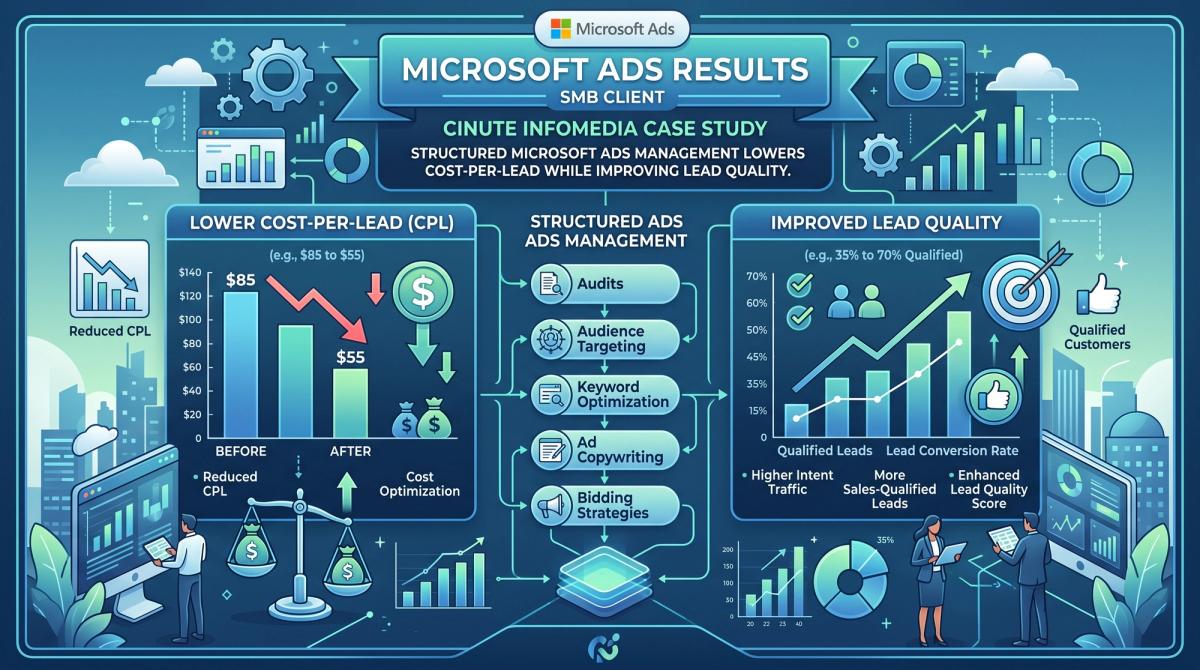
Structure beats spend. In 5+ years and 50+ projects, with a 98% client satisfaction rate, the pattern we see is consistent: accounts don't need more money, they need fewer leaks.
A representative example. A Mumbai-based B2B services firm came to us spending heavily on broad keywords with no conversion tracking and no negative list a textbook 25%+ leak. Challenge: high click volume, almost no qualified enquiries. Approach: we restructured into tight ad groups, installed UET tracking, built a negative keyword list, and added schedule + location targeting. Result: cost-per-lead fell [~XX%] within two months while qualified enquiries rose [~XX%]. (Replace bracketed figures with a verified client metric before publishing.)
The takeaway isn't magic it's management. Microsoft also tends to be kinder on cost: industry analyses consistently put its average cost-per-click well below Google's, which stretches an SMB budget further. Pair that paid efficiency with a long-term organic SEO strategy and you reduce reliance on paid clicks over time.
What does a healthy account look like in practice? A click-through rate that climbs as irrelevant impressions fall, a conversion rate that holds steady as you scale spend, and a cost-per-lead that trends down month over month. Those three signals tell you the budget is compounding in your favour and they only appear when someone is actually watching the numbers and acting on them.
Want the people behind those numbers? Meet our expert team.
Microsoft Ads Management vs DIY vs a Cheap Agency
Three paths, three very different outcomes for your budget:
| What matters | DIY (in-house) | Cheap / generic agency | Cinute approach |
|---|---|---|---|
| Conversion tracking | Often skipped | Basic, rarely audited | Set up & validated before launch |
| Negative keywords | Set once, forgotten | Generic list | Reviewed weekly from Search Terms |
| Optimisation cadenceOptimisation cadence | "When there's time" | Monthly at best | 48-hour + weekly rhythm |
| Reporting | Clicks, not leads | Vanity metrics | Cost-per-lead & ROI focused |
| Time cost to you | High (your hours) | Low, but low control | Low, with full transparency |
DIY can work if you genuinely have the hours each week; most owners don't. A bargain agency often "sets and forgets" on your behalf. The difference is active, accountable management and capturing every lead the clicks produce, which is where AI-powered chatbots qualify enquiries 24/7 so paid traffic never goes cold.
The honest test is your calendar. If you can reliably give the account focused attention three times a week, DIY is viable. If you can't and most owners genuinely can't a specialist usually costs far less than the budget a neglected account quietly burns.
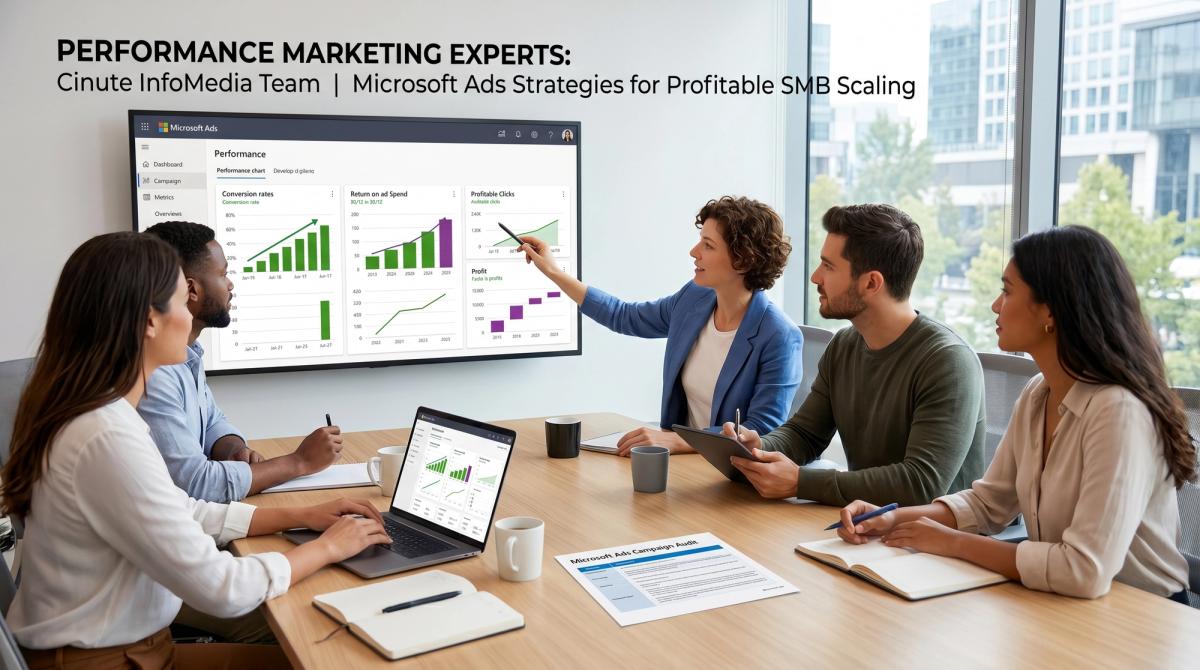
How to Get Started with Cinute InfoMedia
Getting profitable doesn't require a giant retainer it requires a clear starting point. Our process is simple:
- Discovery : we learn your goals, margins and target cost-per-lead.
- Audit : we find exactly where your current spend leaks (or how to launch clean).
- Blueprint : a campaign structure, tracking plan and budget mapped to your goals.
- Execution : we build, launch and manage on the 48-hour + weekly rhythm.
None of this locks you into a long contract or a bloated retainer. The point of the audit is simple: show you, in plain numbers, where your spend is going and what a leaner setup would change. If the opportunity is there, we'll map it out; if it isn't, you'll still walk away knowing exactly where your account stands and which fixes matter most.
We open a limited number of free audit slots each month, and they fill quickly. If you'd like yours, start your free digital audit before this month's slots are gone.
Free Audit Get a free 30-minute digital audit of your Microsoft Ads account. Limited slots this month. → Book now
Frequently Asked Questions
Q1. Is Microsoft Ads worth it for small businesses?
Yes for most SMBs it's worth testing. Microsoft Ads usually has lower competition and a cheaper cost-per-click than Google, plus access to an audience that often skews higher-income and B2B. With tight management, that means more qualified leads for less budget.
Q2. How much do Microsoft Ads cost for a small business? There's no fixed cost you set the budget. Many SMBs start at roughly ₹15,000–₹50,000 per month and scale what works. Because cost-per-click is typically lower than Google's, the same budget often buys more clicks. What matters most is conversion tracking, so every rupee is measured.
Q3. What's the difference between Microsoft Ads and Google Ads?
Both are pay-per-click search platforms. Google has far larger reach; Microsoft has less competition, lower average CPCs, and a distinct audience (including many searchers Google can't reach). The smartest small businesses run both, using Microsoft to capture cheaper, high-intent traffic.
Q4. How do I stop wasting money on Microsoft Ads?
Install conversion tracking, build and maintain a negative keyword list, keep ad groups tightly themed for a higher quality score, and review performance weekly to pause losers. Most waste comes from "set-and-forget" accounts active management is the single biggest fix.
Q5. How long until Microsoft Ads show results?
You'll usually see clicks and early data within days. Reliable conversion data and stable cost-per-lead typically take 4–8 weeks as the campaign gathers signal and you optimise. Resist judging performance in the first 48 hours use that window to cut obvious waste instead.
Conclusion
Microsoft Ads rewards small businesses that run lean: cheaper clicks, a valuable audience, and far less competition than Google. The budget you waste isn't a spending problem it's a management problem, and it's fixable with tracking, negative keywords, and a steady optimisation rhythm.
Stop the leak first, then scale with confidence. Ready to transform your paid search results? Contact Cinute InfoMedia for a free audit today.
Related Articles
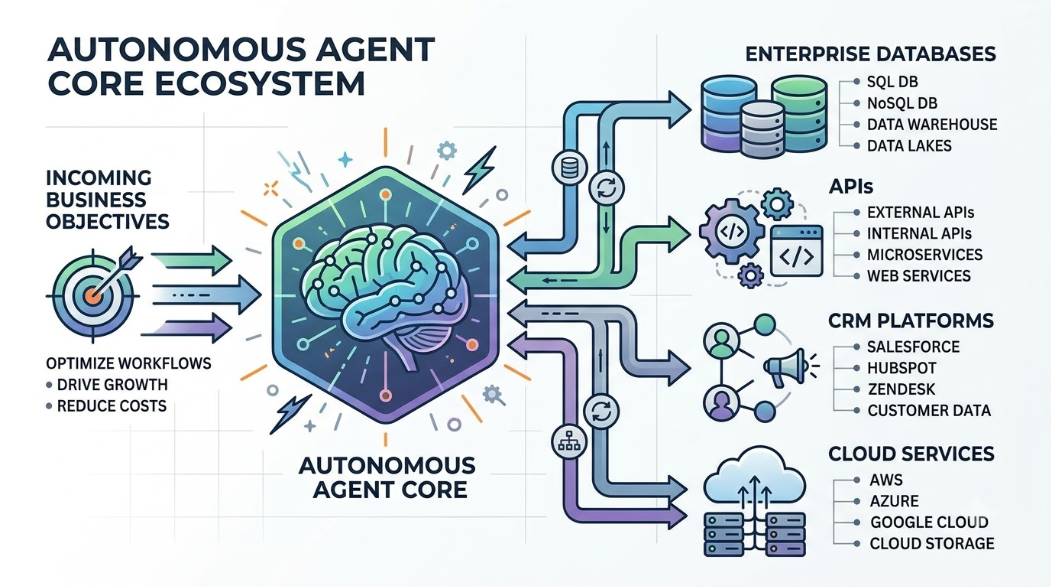
What Are AI Agents? How They Work, Benefits, Architecture, and Enterprise Adoption
A comprehensive guide for technology leaders exploring the shift from conversational chatbots to autonomous AI agents. Learn the core architecture, 8-stage operational lifecycle, high-impact enterprise use cases, integration patterns, security risks, and multi-layered testing frameworks required to deploy agentic automation responsibly.

SEO Monitoring Tools: Technical Implementation Guide for Developers
Comprehensive technical guide to SEO monitoring tools designed for software developers and product managers. Learn how to integrate monitoring into development workflows, track technical SEO metrics, and automate performance reporting with modern tools and APIs.

Core Web Vitals Fixes Guide: Complete Technical Implementation for Developers
Master Core Web Vitals optimization with our technical implementation guide. Learn LCP, FID, CLS fixes with code examples and strategies tailored for developers and CTOs.