

Table of Contents
Creating Stunning UI/UX Designs: Principles and Best Practices
Great UI/UX design is the foundation of successful digital products. In this guide, we'll explore the principles and practices that make designs both beautiful and functional.

Understanding UI vs UX
| Aspect | UI (User Interface) | UX (User Experience) |
|---|---|---|
| Focus | Visual elements | Overall experience |
| Goal | Aesthetics & interaction | User satisfaction |
| Includes | Colors, typography, buttons | Research, testing, flows |
| Outcome | Beautiful interfaces | Happy users |
Design is not just what it looks like and feels like. Design is how it works.
- Steve Jobs
Core Design Principles
1. User-Centered Design
Always prioritize user needs and preferences. Conduct user research, create personas, and test with real users.
2. Consistency
Maintain consistent design patterns, colors, typography, and interactions throughout your application.
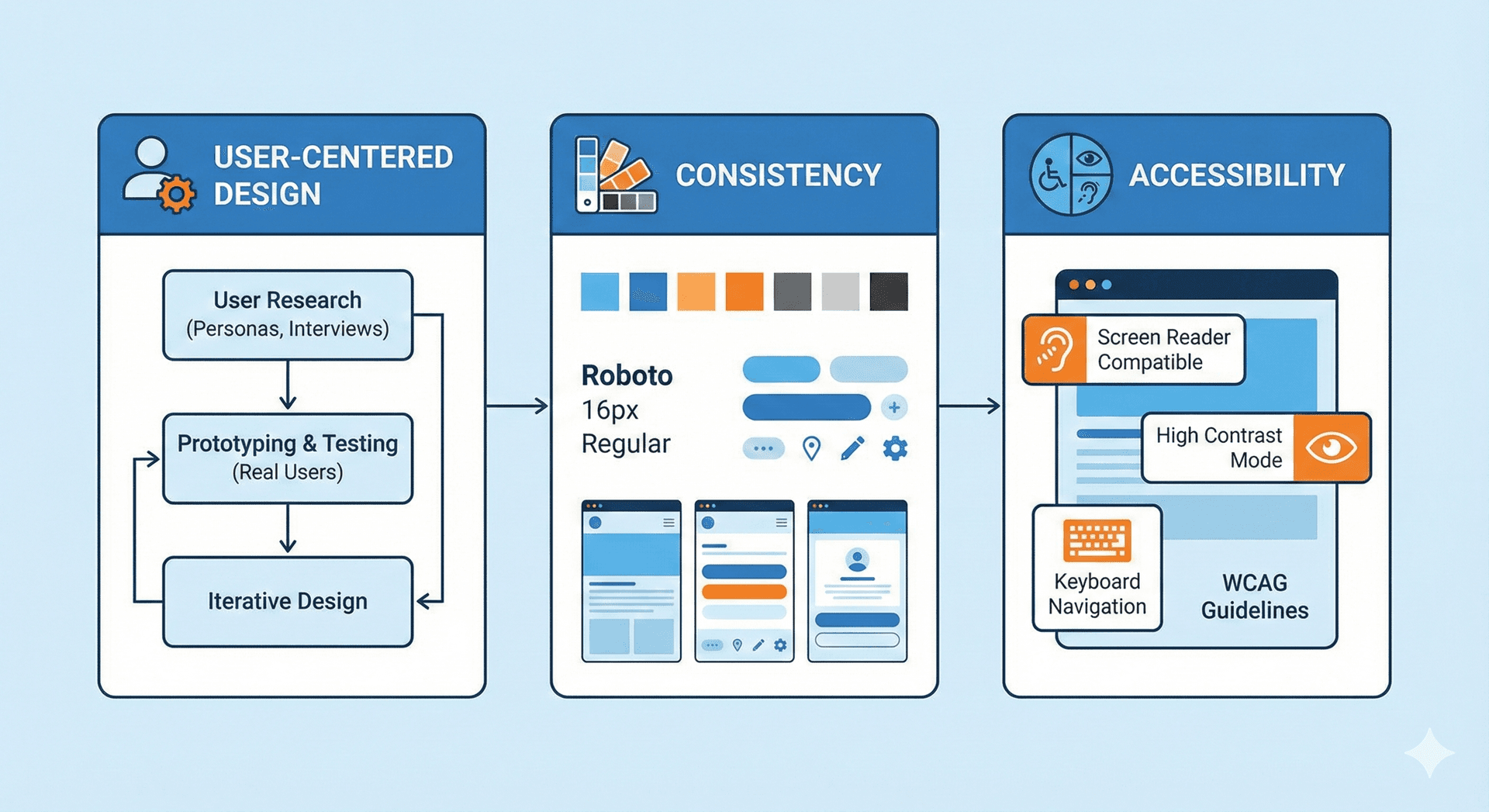
3. Accessibility
Design for everyone, including users with disabilities. Follow WCAG guidelines and test with accessibility tools.
Accessibility Matters
1 in 4 adults has some form of disability. Accessible design is not optional-it's essential.
Design Systems
A well-organized design system ensures consistency and speeds up development:
- Define color palettes
- Create typography scales
- Build component libraries
- Document design patterns
:root {
  /* Color tokens */
  --primary: #6B00D7;
  --secondary: #00B5CA;
  --text: #1a1a1a;

  /* Spacing scale */
  --space-sm: 8px;
  --space-md: 16px;
  --space-lg: 24px;
}
Wireframing and Prototyping
Before diving into design:
- Create wireframes to plan layout and functionality
- Build prototypes to test interactions
- Gather feedback from stakeholders
- Iterate based on user testing

Tool Tip
Use Figma for collaborative design. Its real-time collaboration features are perfect for team workflows.
Conclusion
Great design is a balance of aesthetics and functionality. By following these principles, you'll create designs that users love and that drive business results.
Related Articles

E-commerce UX: Designing for Conversion
Master the art of e-commerce UX design to increase conversions, reduce cart abandonment, and create seamless shopping experiences.

Mobile UX Trends to Watch in 2024
Explore the latest mobile UX trends shaping how users interact with apps and mobile websites in 2024.